Core Concepts & Systems
Before diving into the specific views and features of the DATS interface, it is essential to understand the foundational vocabulary and systems that organize your research materials. DATS uses a specific set of concepts to structure data, facilitate qualitative coding, and enable complex analysis.
This chapter defines the core systems you will interact with throughout the Discourse Analysis Tool Suite.
Projects & Documents
The basic hierarchy in DATS starts with Projects and Documents.
- Project: A Project is your primary collaborative workspace. It contains all your uploaded files, created codes, tags, metadata definitions, and user settings for a specific research endeavor. Multiple users can be invited to collaborate within a single project.
- File vs. Document: When you upload raw data material (like a 300-page PDF), DATS processes it.
- File (or File-Folder): This represents the original, entire item you uploaded.
- Document: To optimize performance for large texts and to facilitate targeted analysis, DATS automatically splits large files into smaller, manageable chunks (typically 10-page segments). These individual segments are called Documents. Therefore, a single uploaded File may consist of one or many Documents, which are grouped together in a File-Folder.
- Note: Documents are modality-agnostic; they can be text, images, audio recordings, or videos.
The Tag System
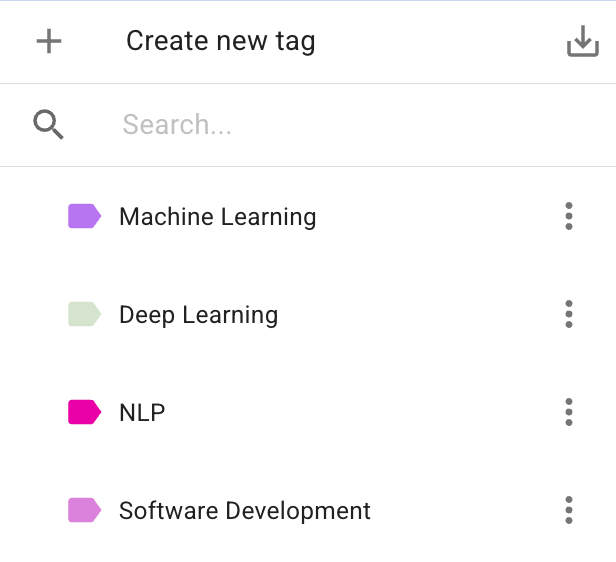
The Tag system is used exclusively for organizing and categorizing entire Documents.
Tags act as colorful attributes that you can assign to documents to group them meaningfully. Because they apply to the document level, they are incredibly useful for managing your corpus, filtering search results, and defining specific subsets of data for analysis (e.g., creating a "Train" and "Test" set for machine learning).
- Hierarchical Structure: You can create a hierarchy of tags (e.g., a parent tag Domain with child tags Business, Popular, Research).
- Multiple Assignments: A single document can be assigned multiple different tags.
The Code System
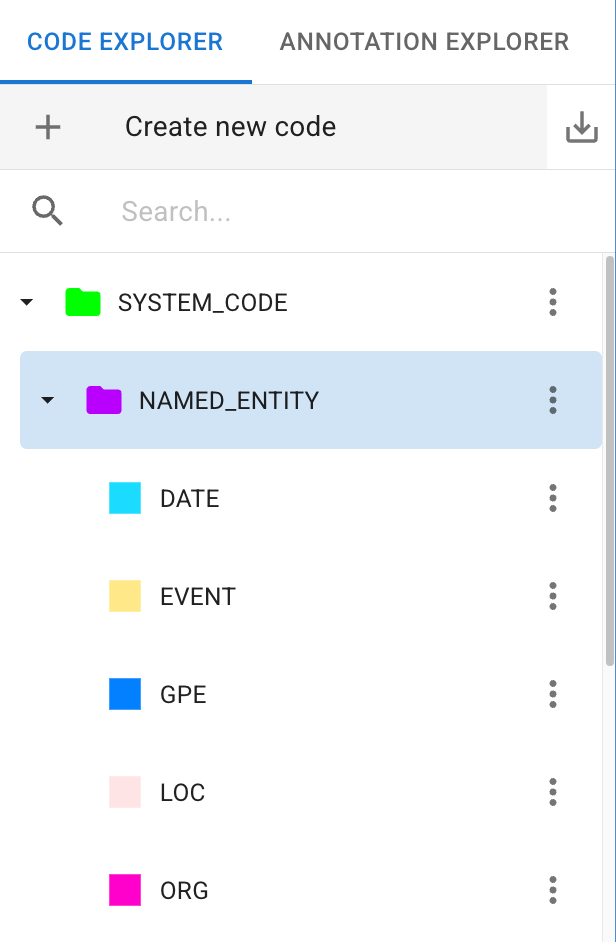
The Code system is the heart of your qualitative analysis. Unlike Tags, which apply to entire documents, Codes are used exclusively to classify specific segments within a document.
When you apply a Code to a specific text excerpt or a bounding box on an image, you create an Annotation.
- The Codebook: Your collection of codes forms your Codebook (or code-tree). Like Tags, Codes are organized hierarchically, allowing you to define broad categories with highly specific sub-codes.
- System Codes vs. Custom Codes:
- Custom Codes: You define these based on your specific research questions and theoretical framework.
- System Codes: During the automated import process, DATS applies predefined System Codes (like SYSTEM_CODE: PERSON or SYSTEM_CODE: LOCATION) using automatic entity recognition. These can be helpful for initial exploration.
Annotations
An Annotation is the fundamental unit of your analysis. It is formed when you link a specific piece of raw data (the content) to a theoretical concept (the Code).
DATS supports several types of annotations depending on the document modality:
- Span Annotation: Used for text. You select an arbitrary sequence of words (a span) and assign a Code to it.
- Sentence Annotation: Used for text. You assign a Code to an entire, discrete sentence.
- Bounding Box Annotation: Used for images. You draw a rectangular box over a specific segment of the image and assign a Code to it.
Because DATS automatically transcribes audio and video files during import, you analyze these modalities by creating Span or Sentence annotations on their generated transcripts.
The Metadata System
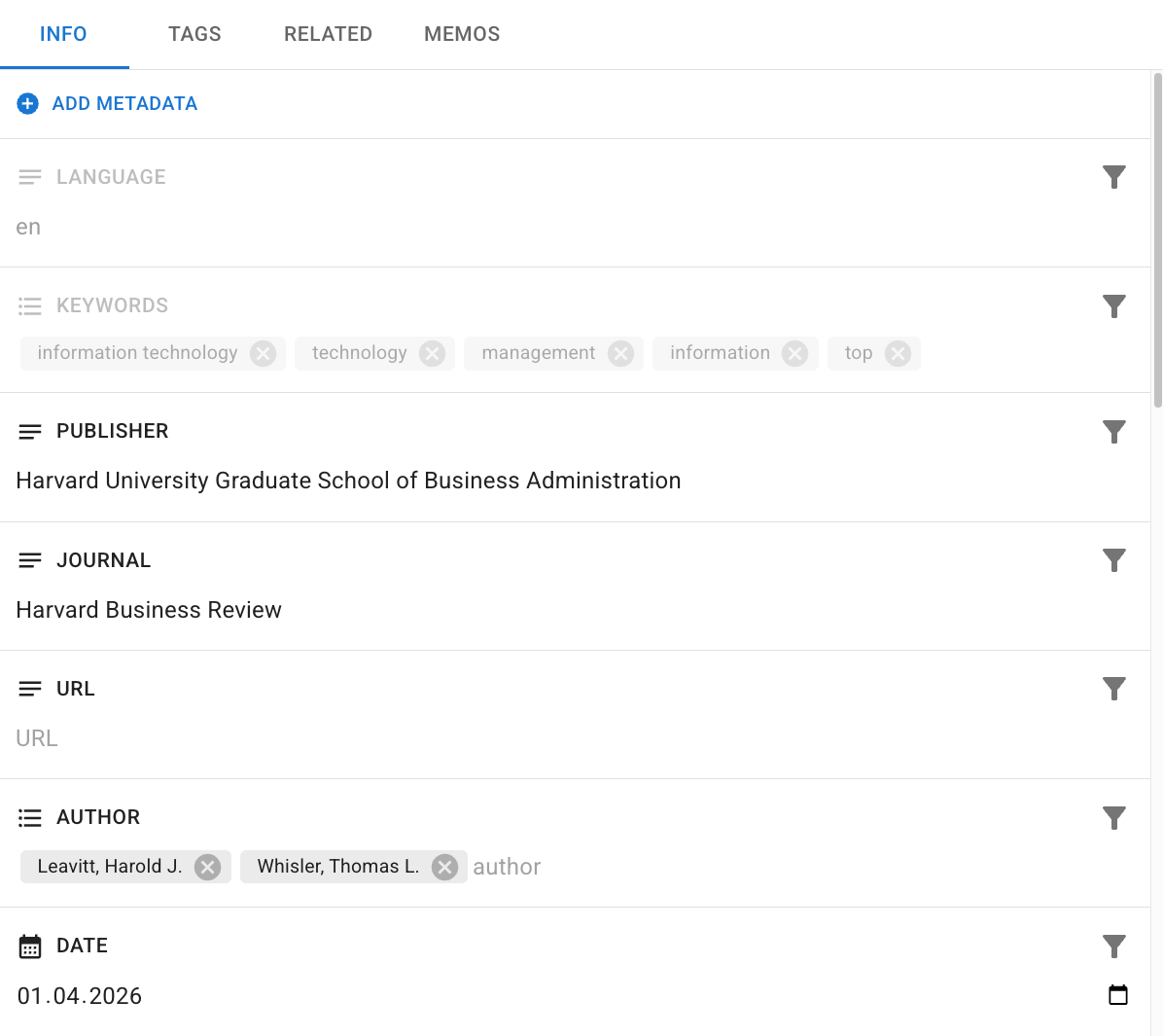
Metadata consists of arbitrary key-value pairs associated with a Document, providing descriptive, contextual, or statistical information.
Metadata is crucial for advanced filtering and timeline analyses.
- Automatic Metadata: During import, DATS automatically extracts and generates metadata such as language, keywords, word count, and publication date.
- Custom Metadata: You can define custom metadata fields (text, lists, numbers, dates) to store additional information relevant to your project, such as Author, Publisher, or Journal.
The Memo System
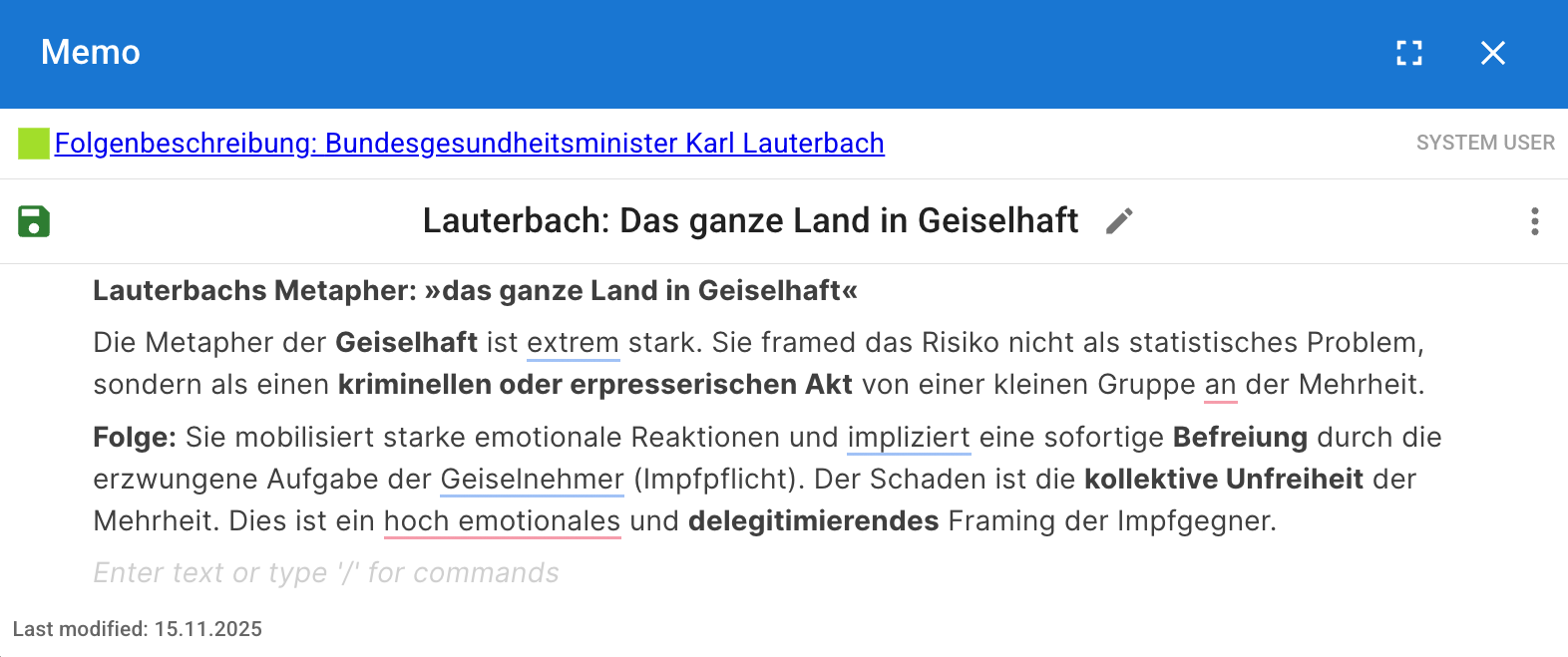
Memos are the omnipresent tool for capturing your interpretive thoughts, reflections, and sudden insights during the research process.
Think of Memos as digital "post-it" notes. They consist of a title and structured text content.
- Ubiquity: A Memo can be attached to virtually any research object in DATS: a Document, a Tag, a specific Code in your codebook, or an individual Annotation you just created.
- Visibility: Memos are visible to all other users in your project, making them an excellent tool for team communication, noting uncertainties, or documenting the evolution of your code definitions.